Sandbox Game
Sandbox Game
A small voxel-style sandbox built with Three.js.
Versions
- 1.0.3 — Added fallbacks for core files
- 1.0.2 — Gave the downloadable game mod support
- 1.0.1 — Bug fix with mobile selecting
- 1.0.0 — Full Release
About the game
Sandbox Game is a lightweight voxel sandbox inspired by classic block-building games, built from scratch in Three.js. Explore procedural worlds, build, break, and experiment, all in a tiny, fast engine.Features
-
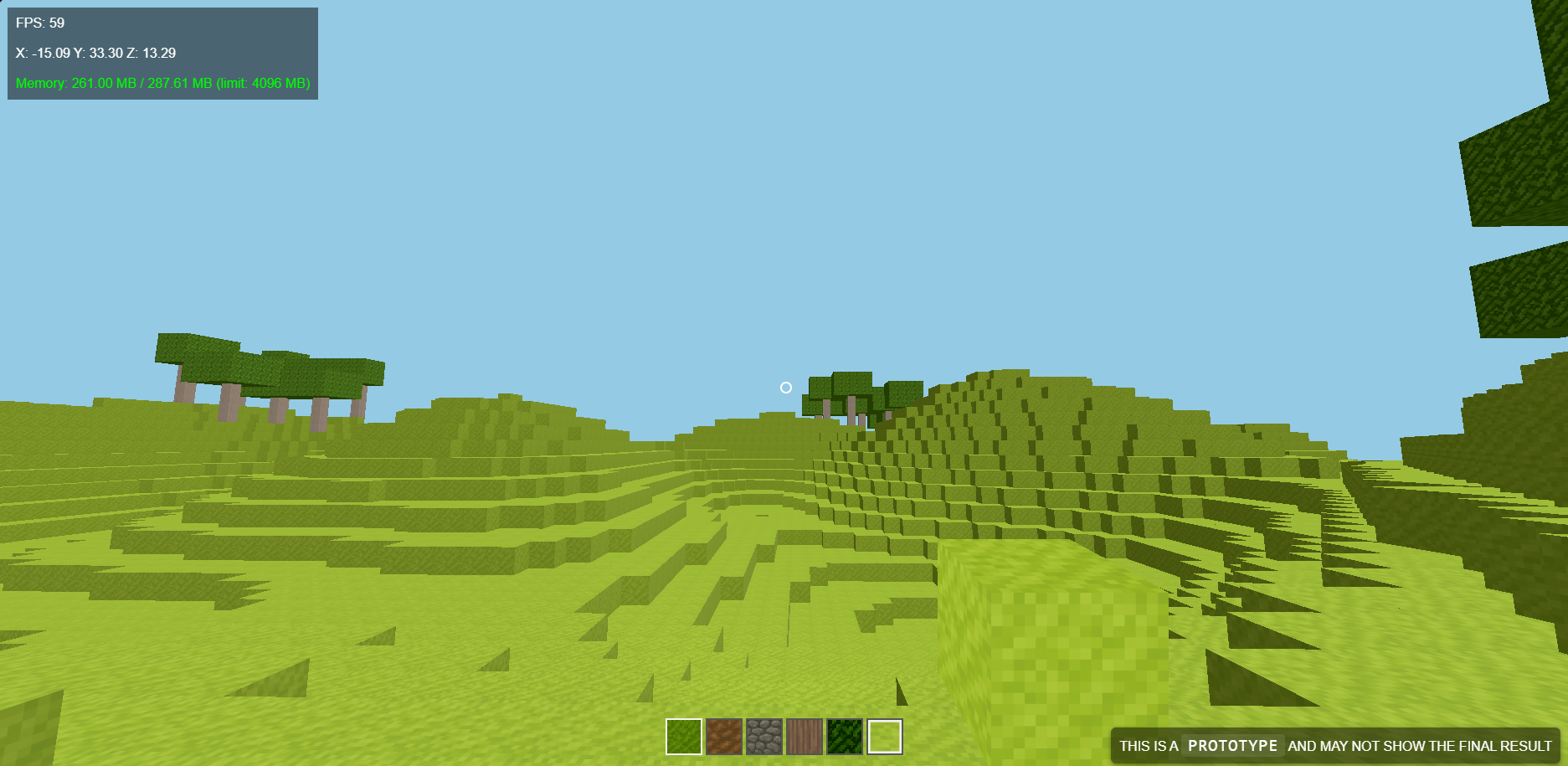
Procedural terrain
- Noise-based heightmap for grass, dirt, stone layers
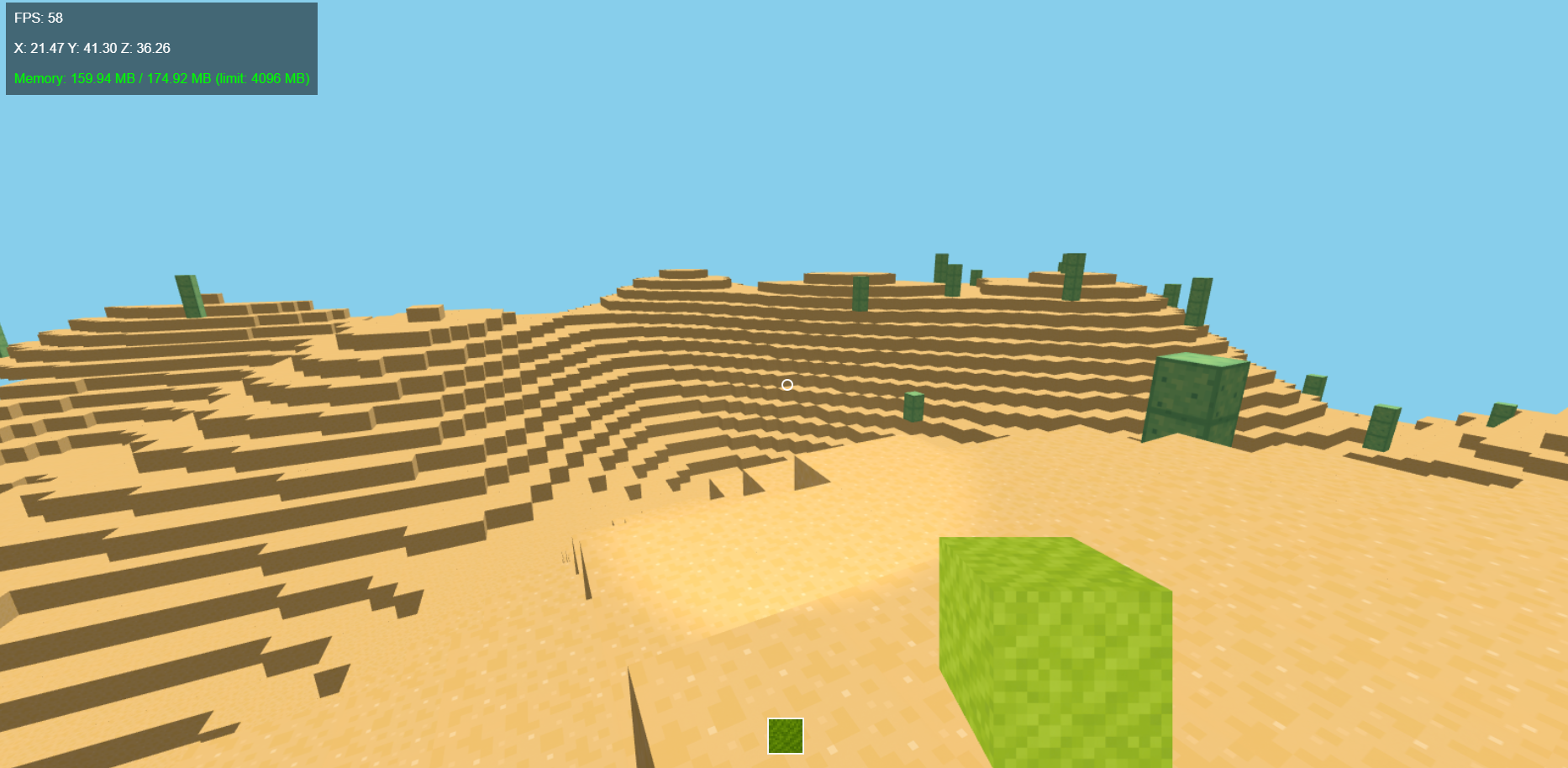
- Randomly generated trees, cacti and occasional houses
-
Chunk system
- Dynamic loading/unloading of chunks based on camera position
- Frustum and distance culling for performance
- Safety region to prevent chunks under the player from unloading
- Chunk rebuilds when blocks are placed or broken
-
Player movement
- WASD controls with gravity and jumping
- Collision detection using foot/head sample points
- Smooth camera rotation with pointer lock (desktop)
-
Block interaction
- Raycast-based breaking and placing
- Range-limited interaction
- Break/place sounds
- Saves modified blocks per world seed
-
Mobile support (WEB VERSION ONLY)
- On-screen D-pad for movement
- Break / Place / Jump / Rotate buttons
- Touch-drag camera look on right half of screen
- Separate mobile animation loop optimized for performance
- Reduced render distance on mobile for stability
-
Gamepad support (experimental)
- Move, look, jump, break/place, cycle hotbar
-
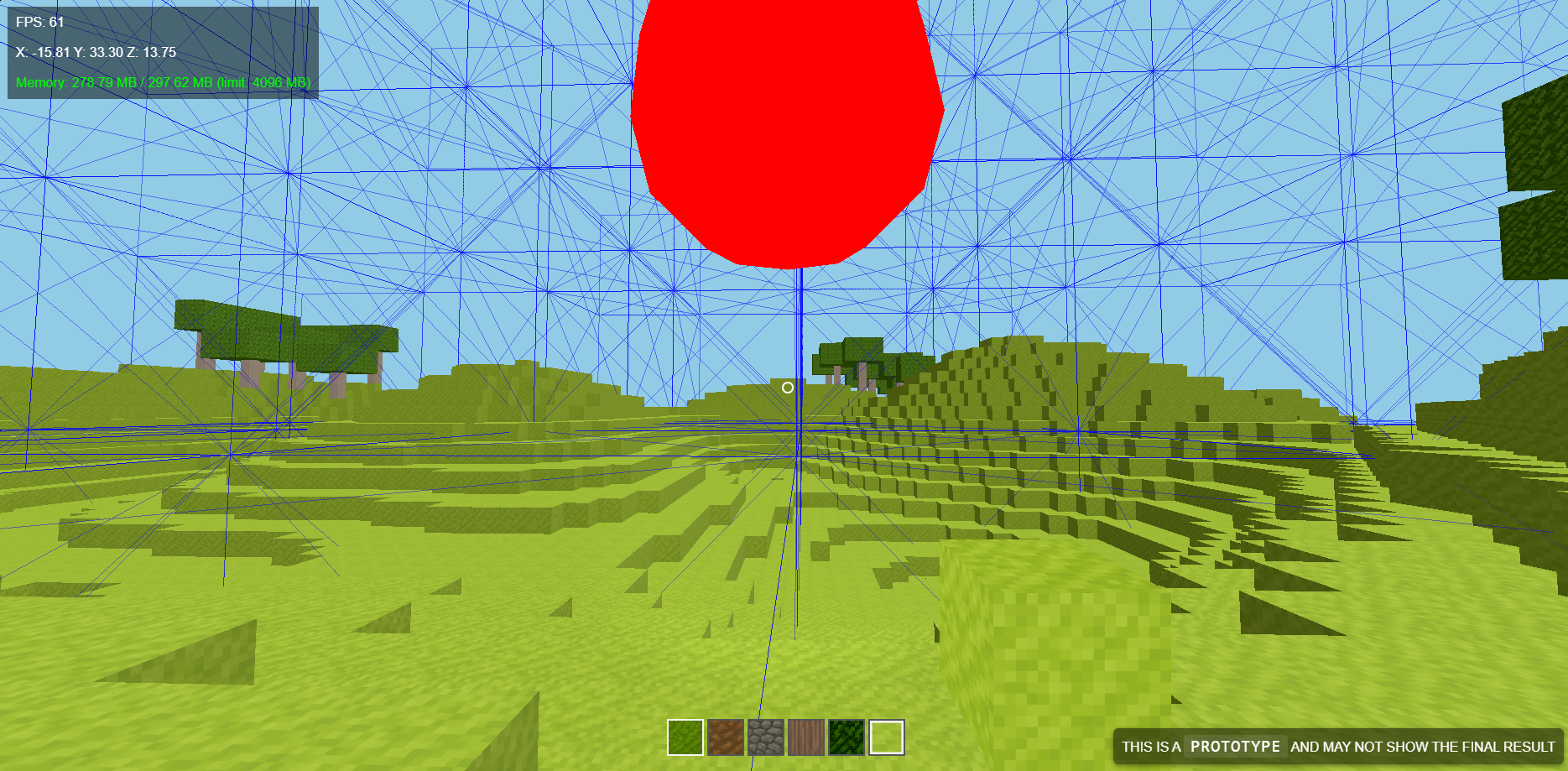
Debug tools
- Toggle with F3
- Green spheres = foot collision samples
- Red spheres = head collision samples
- Blue wireframe boxes = chunk bounds
- FPS + memory HUD
-
Save system
- Modified blocks (placed/broken) are stored in localStorage
- Worlds are tied to their seed
- Save size is lightweight and shown in the UI
-
Modding support (DESKTOP VERSION ONLY)
- Create mods using the manager
- Enable or Disable mods using the manager
Controls
- W / A / S / D — Move
- Space — Jump
- F3 — Toggle debug overlays
- Mouse — Look around
- Scroll wheel — Cycle inventory
- Right click — Break blocks
- Left click — Place selected block
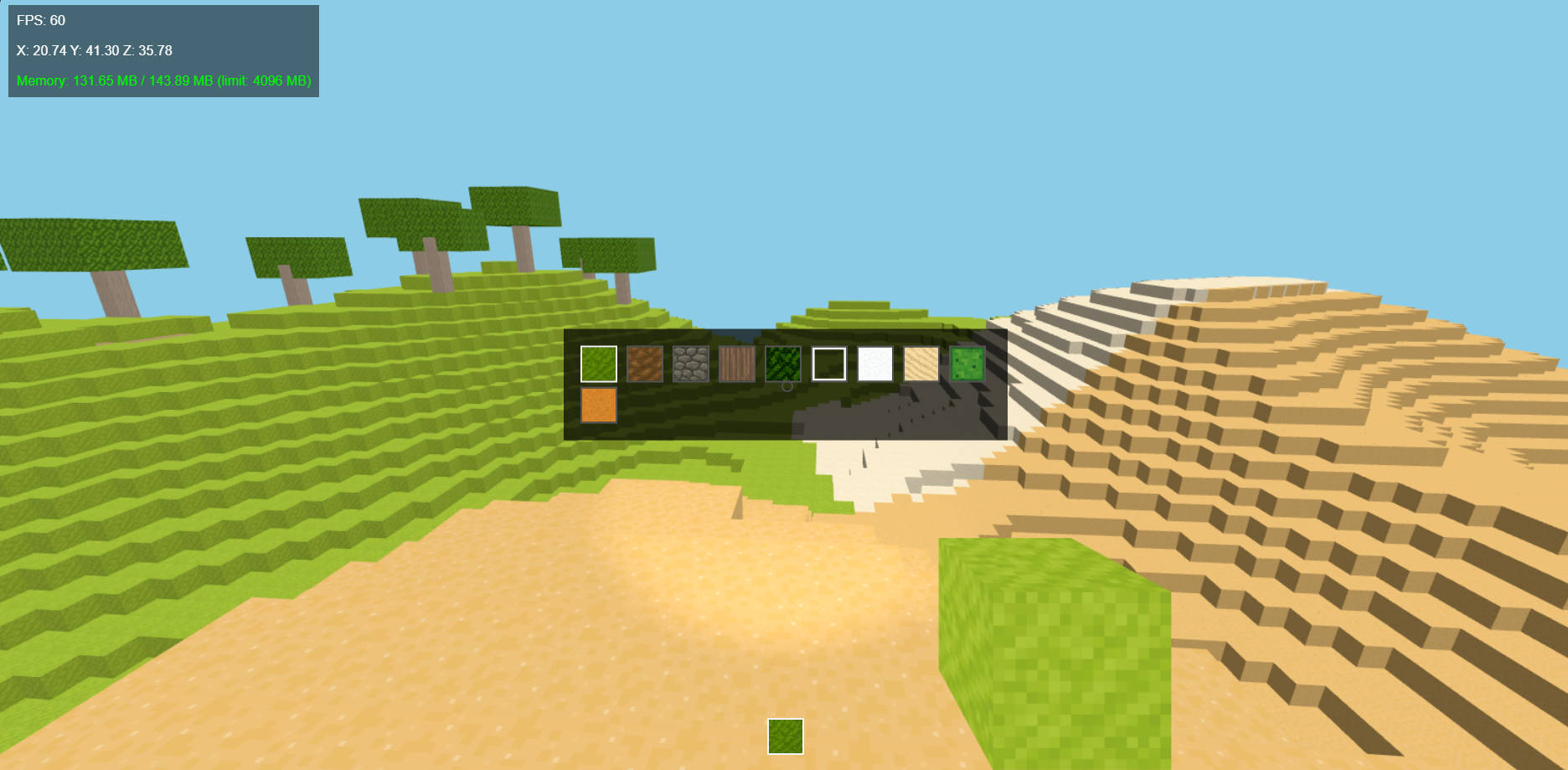
- E — Open inventory panel
Mobile Controls (WEB VERSION ONLY)
- On-screen D-pad — Move
- Touch-drag (right side) — Look
- Break / Place buttons — Block interaction
- Jump button — Jump
- Rotate buttons — Cycle hotbar
Controller Controls (Experimental)
- Left stick — Move
- Right stick — Look
- A — Jump
- Right bumper — Cycle hotbar right
- Left bumper — Cycle hotbar left
- Right trigger — Break blocks
- Left trigger — Place selected block
Built With
- Three.js — WebGL rendering
- JavaScript, HTML, CSS
- Electron as the launcher
Planned Features
- [x]
Add Mobile support - [x]
More mobile UI improvements - [x]
New biomes(more might come) - [ ] Better weather system
- [ ] Water simulation (not a guarantee)
- [ ] Mob spawning (attempted before, tests show failure)
Download
Install instructions
Windows Setup (recommended for most players)
- Download Sandbox Game Launcher Setup.
- Run the installer and follow the prompts.
- A shortcut will be added to your Start Menu and Desktop.
- Launch the game from the shortcut and start playing.
- Mods can be managed directly through the built‑in Mod Manager.
Portable ZIP Version (no setup required)
- Download PortableSandboxGame.zip.
- Right‑click the ZIP and choose Extract All.
- Open the extracted folder and run Sandbox Game Launcher.exe.
- You can place the folder anywhere (USB drive, another disk, etc.).
- Mods go inside the mods folder next to the executable.
Web Version
- Just press Run Game
- Does not have modding capabilities
- Has Mobile support
Updating to a New Version
- Setup version:
- Just run the new installer — it will update automatically.
- Your saves and mods won’t be overwritten.
- Portable version:
- Delete the old folder and extract the new ZIP.
(BE SURE TO BACK YOUR MODS UP BEFORE UPDATING WHEN USING THE PORTABLE VERSION)
Modding Notes
- Mods are simple folders or ZIPs placed inside the mods directory.
- Enable or disable mods using the in‑game Mod Manager.
- The engine loads mods on startup, so restart the game after adding new ones.
Leave a comment
Log in with itch.io to leave a comment.